

HOW TO FIND YOUR PATTERNS
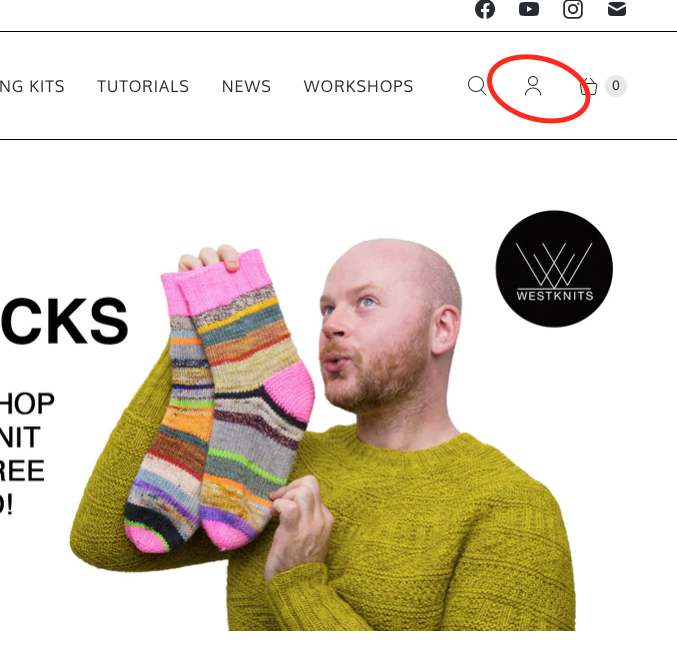
First you need to log into your account, which you can do by clicking on the person icon as shown below:
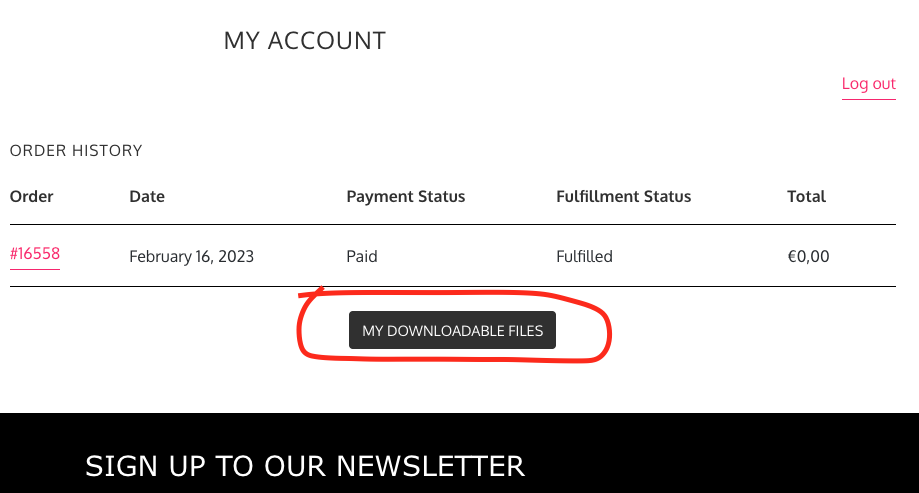
 Then you will click on "My Downloadable Files" as shown below:
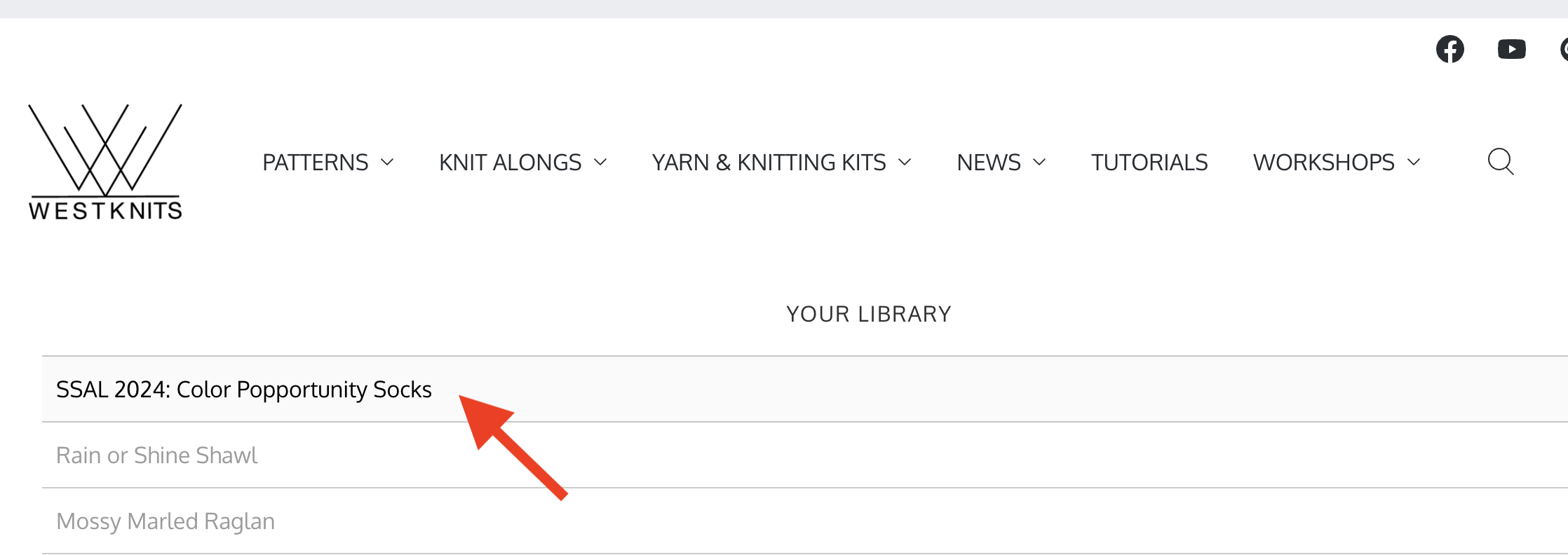
Then you will see the patterns available to be downloaded as shown below:
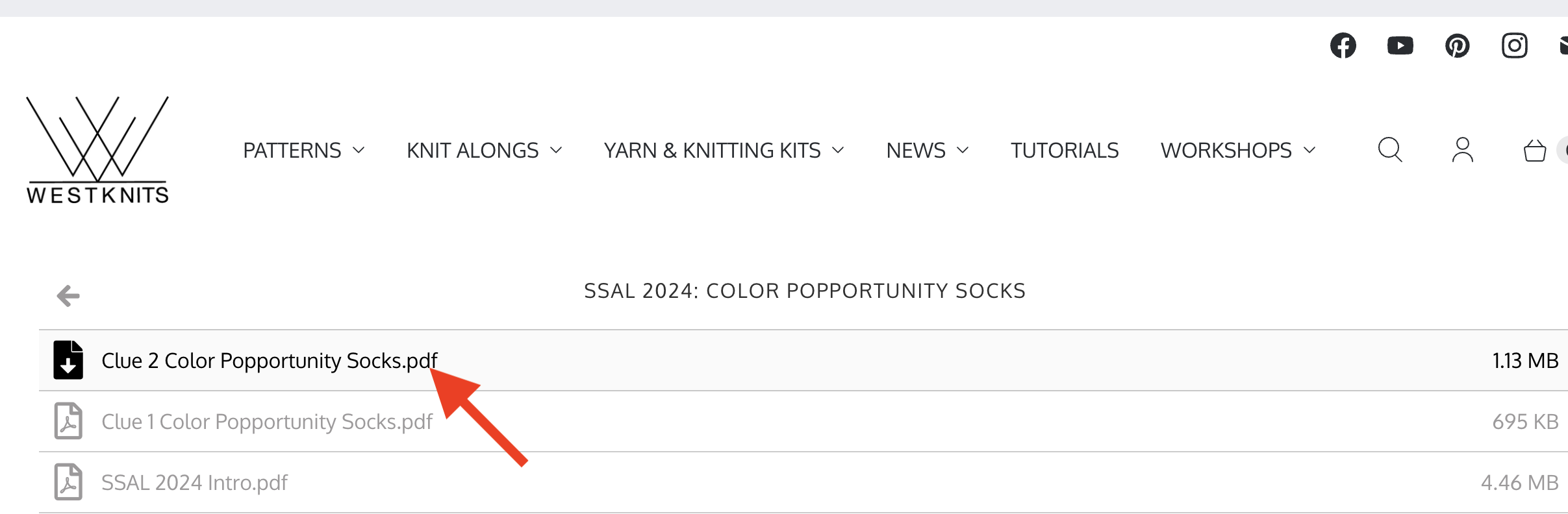
Click on the file you'd like to download and you should be all set!
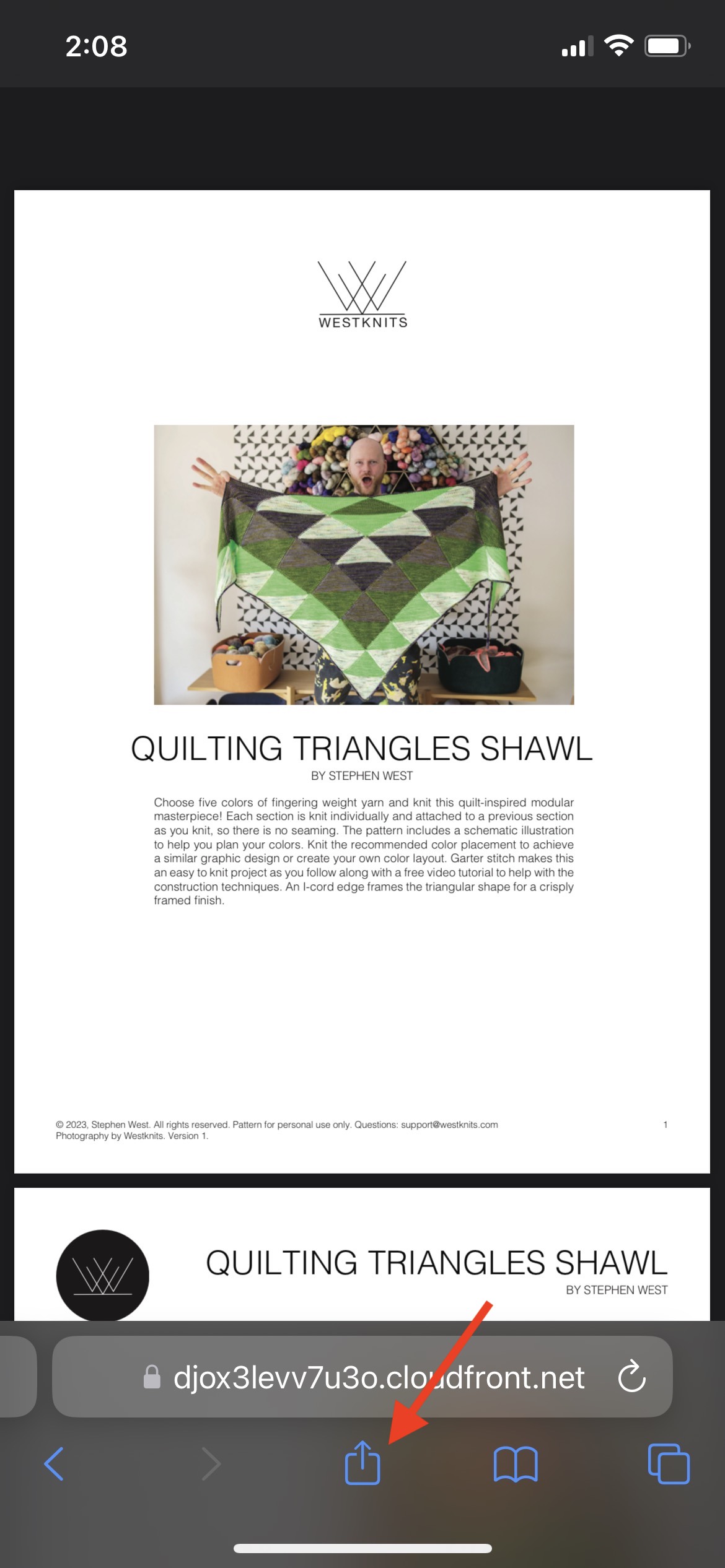
If you are using a tablet or phone, there are a few more steps. After clicking on the pattern you want to download, your pattern will appear in your browsing window. In order to complete the download, click on the share button at the bottom of your screen:
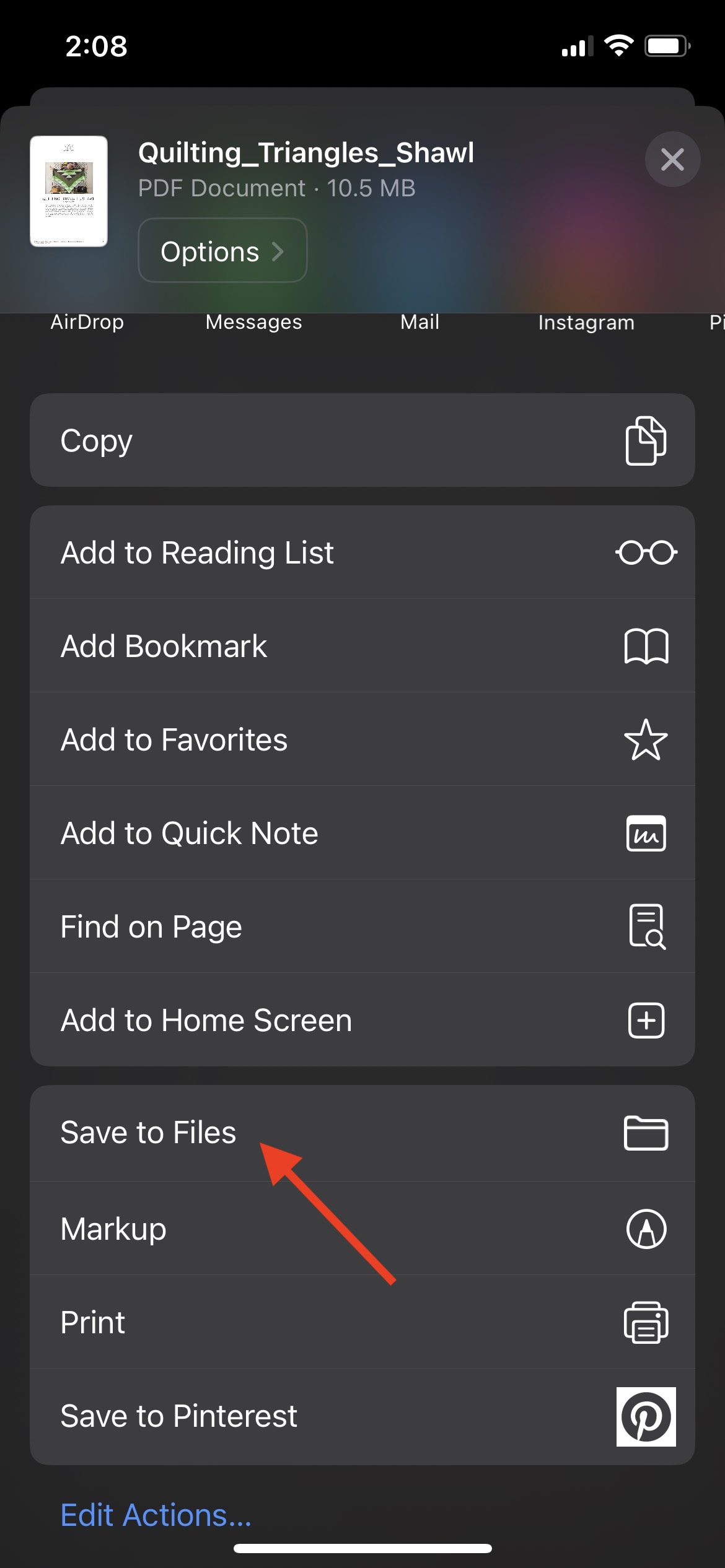
After that, select the ‘Save to Files’ option:
If you are still having problems finding your patterns or if you have any other questions, please get in touch hello@westknits.com